 Live story
8 scenes
Comments0
Live story
8 scenes
Comments0
SpaceX — Reuse. Refly. Reach Further.
OnboardingSpaceX — Reuse. Refly. Reach Further.
Record → Scenes → Ship
BeamCue records a real browser tab, or an app window on Windows or macOS, and turns every click into a Scene — screenshot, target, timing, caption, narration. When the product changes, you edit the Scene. You do not re-record, and the link never changes.
Editing, sharing and video downloads are always free · Free points · Points included · no automatic payment · Pricing →
Chrome extension, or BeamCue Desktop on Windows x64 and macOS 14.2+ (Apple Silicon) · Video clips are available on Windows and macOS 15 or later.
One story · 8 scenes · 0:30 in total
Every scene is editable after it ships
Open the storyStory showcase
Live story
8 scenes
Comments0
SpaceX — Reuse. Refly. Reach Further.
 9 scenes
Comments0
9 scenes
Comments0
SpaceX — Making Life Multiplanetary
 9 scenes
Comments0
9 scenes
Comments0
Amazon.com — Spend less. Smile more.
Why not just record a video
Build your explanation scene by scene. Update the content, add narration, and draw attention to what matters.
Rewrite a caption, retime a scene, mask something that should not have been on screen — then publish a new revision. Viewers on the same link get the new version; version history keeps the old one.
On video
Re-record the whole flow, re-edit, re-upload, then chase down every link you already sent.
Pick a narration language and one of 10 voice personas. Change three captions and regenerate only those three scenes — the rest of the audio is untouched.
On video
One voice-over session per language, and a new session every time a word changes.
Highlight a click target, zoom in on a detail, and add captions to make each step clear.
Two recorders, one Studio

Records a real tab — clicks, typing, scrolling, and navigation — with the recording controls kept outside the captured page.
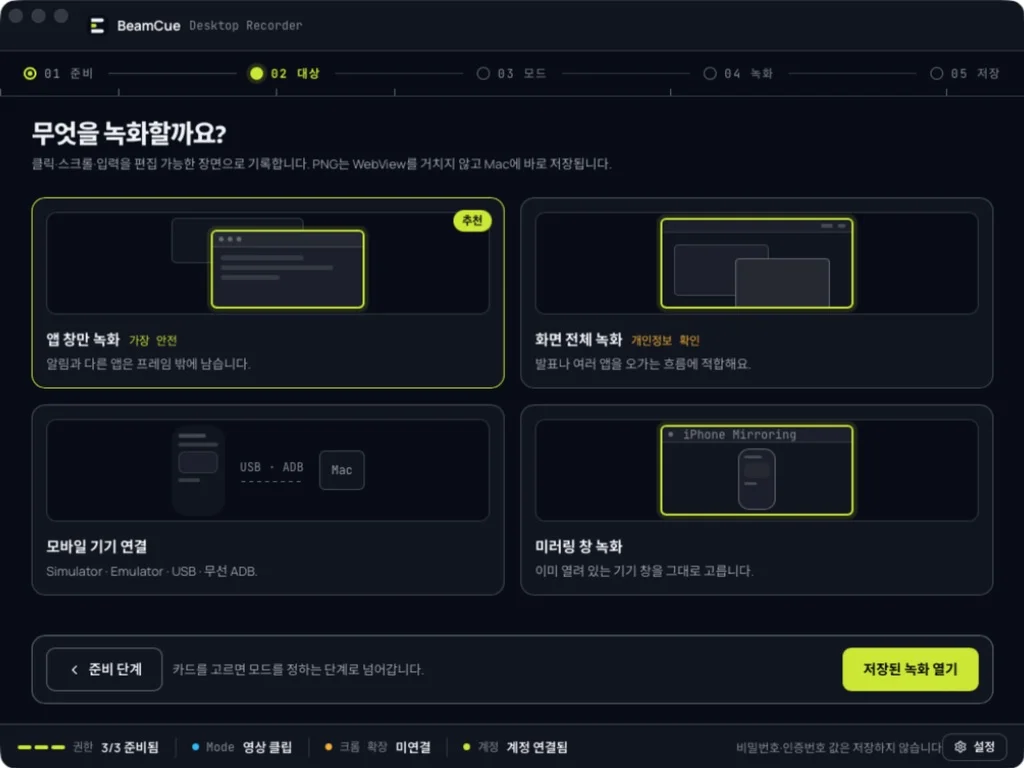
Records a selected app window or an entire display when the product you need to show does not live in a browser tab.
Ways to share
Share your story with a single link. Edit and republish it without changing the address.
Set a password and share your story with the people who need it.
Let people view your story right inside your website or help pages.
Download your finished story as a video file to share.
Use cases
Introduce your product or show how to use it. Bring screens and explanations together in one story.
Show your key features and how they work.
Guide new users step by step so they can follow along.
Answer frequently asked questions with screens.
Introduce updated screens and new features.
Start recording
Two of them are the recording. The rest is you deciding what the story should actually say.
Editing, sharing and video downloads are always free · Free points · Points included · no automatic payment · Pricing →